Telltale Games · Freelance designer · 2018
The Wolf Among Us 2
Interface concepts that stay inside the story
Summary
The Wolf Among Us is Telltale’s noir series about fairy-tale characters hiding in New York, based on the Fables comics. In 2018 Telltale asked me to explore interface concepts for the sequel. I redesigned the three pieces players see most, the reticle, the action buttons, and the pause menu, so each one felt like part of the game’s world instead of a layer on top of it.
My role. Freelance interface designer, commissioned by Telltale. I did the concept work end to end: reviewing the first game’s interface, building the visual direction, and designing each component and how it moves.
- Timeline
- 2018, shortly before Telltale closed most of the studio
- Scope
- Reticle, quick-time action buttons, and the pause menu, designed for an Xbox controller
- Status
- Concept work. The sequel was shelved when the studio closed, so none of it shipped.
- Client
- Telltale Games
- 3 interface systems, redesigned around the story
- UX lead role Telltale offered me on the sequel
The brief
Make the interface part of the story
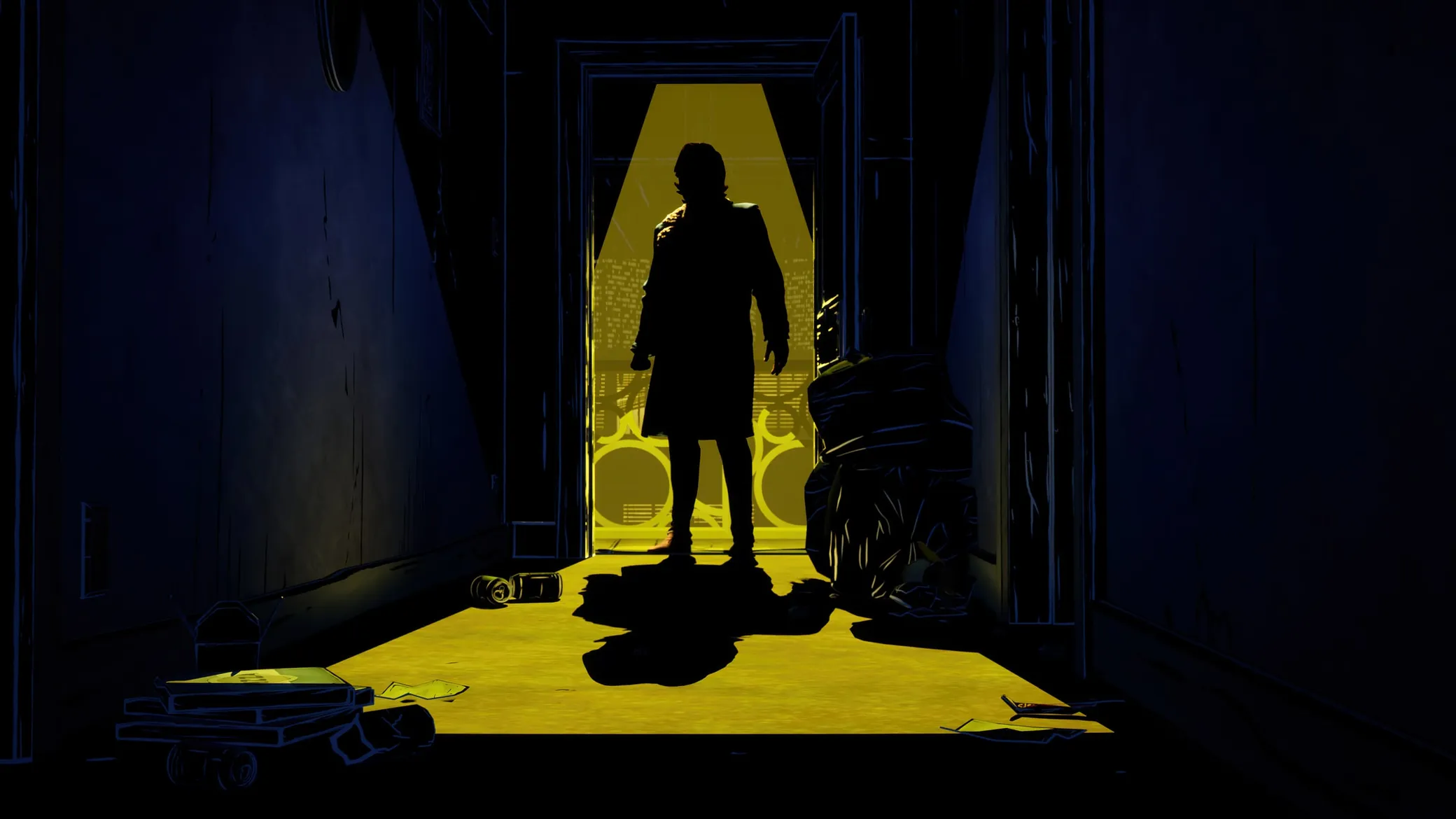
Telltale built its name on story-driven games that put you in the middle of the scene. For the sequel to The Wolf Among Us, the studio wanted to push that further. I’d played the first game, and as a lifelong gamer I jumped at the chance.
The challenge was making interface elements, which exist to be functional, feel like they belonged in a gritty, neon-noir world of fairy-tale characters. I focused on the three pieces players see constantly: the reticle, the action buttons in quick-time events, and the pause menu.
The visual direction came from the world itself. The Fables comics are full of Art Nouveau borders and ornament. The game’s look is neon on night streets. And noir has its own vocabulary, starting with light through Venetian blinds.
The reticle
One reticle instead of two
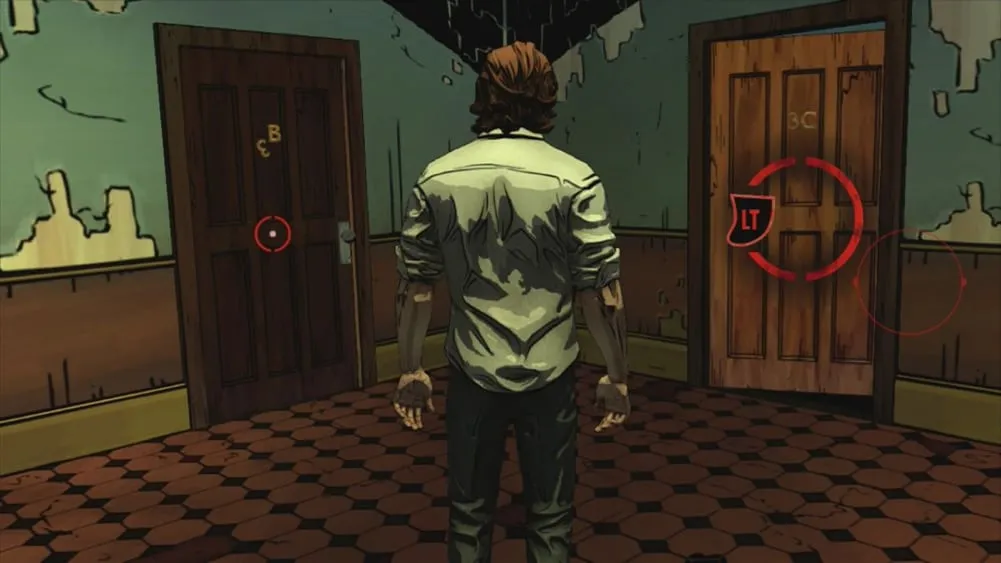
The reticle is the player’s constant companion, so it had to be quiet and still have character. The first game used two reticle systems, as far as I could tell: one for investigating and one for action sequences. They felt like two disconnected experiences.
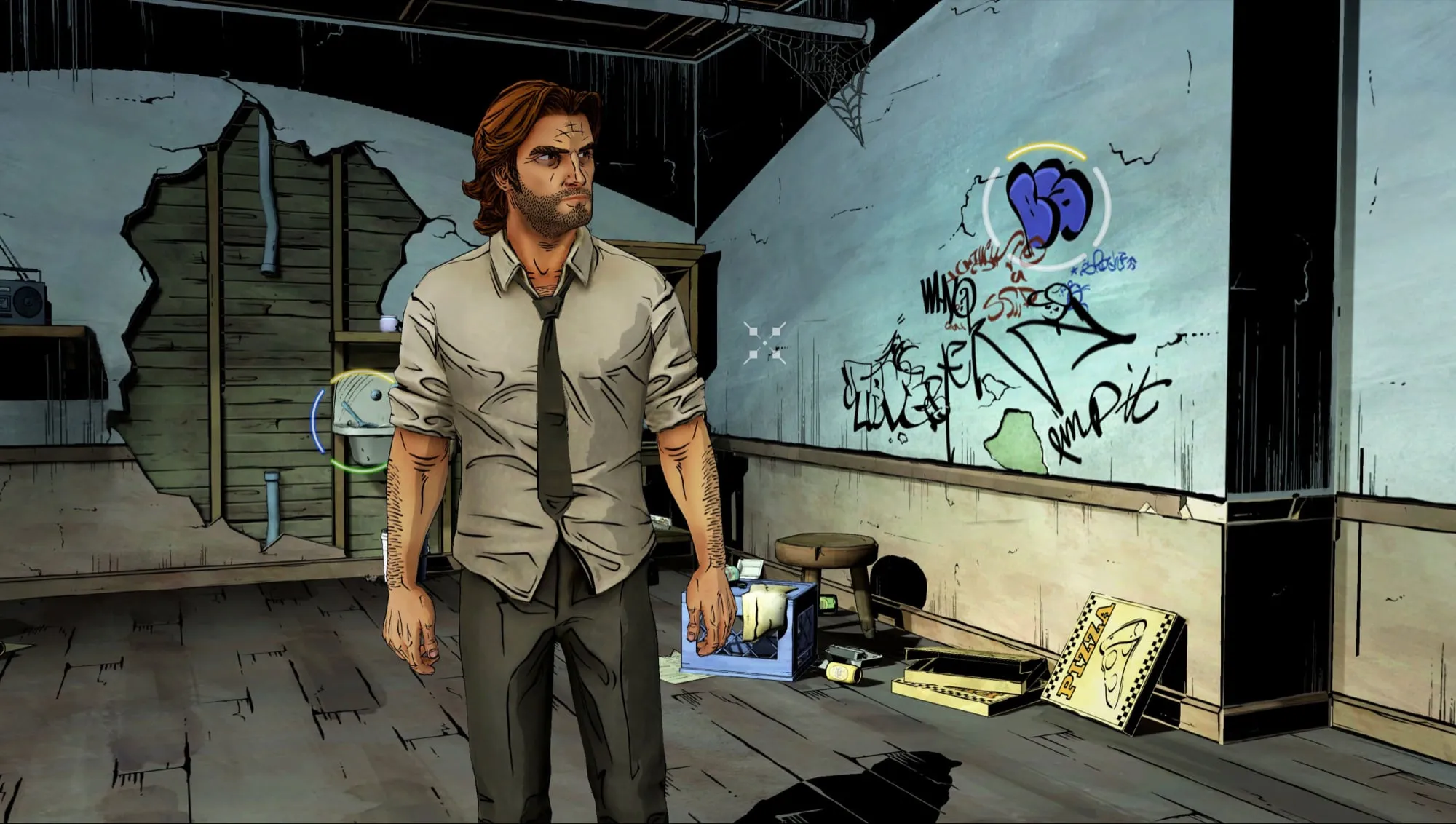
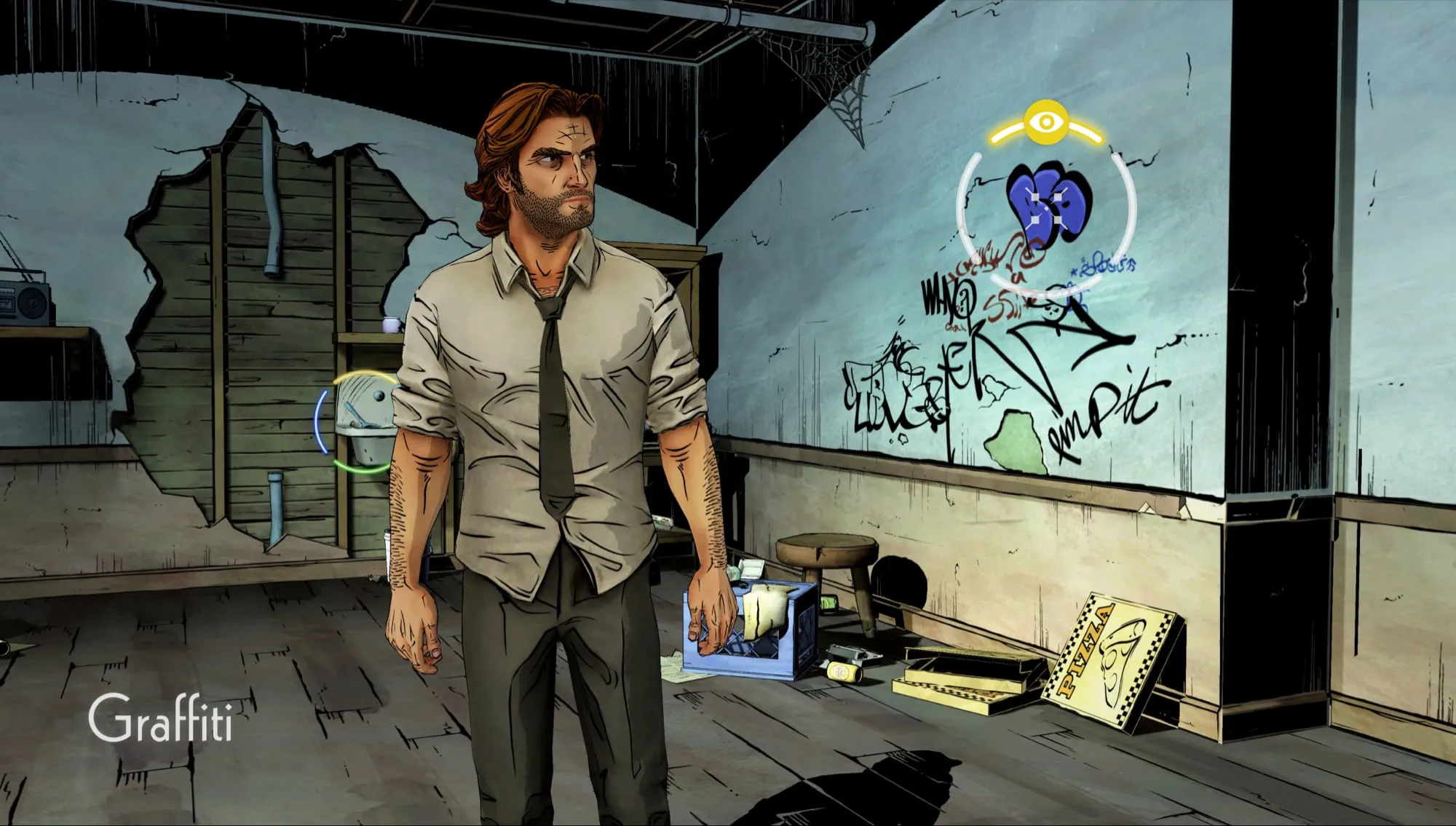
I designed one system. The reticle itself is a small, precise cursor with Art Nouveau detail. Anything you can interact with gets a segmented neon ring, and each segment stands for a button on the Xbox controller: A, B, X, and Y. A segment lights up, in that button’s color, when that action is available.
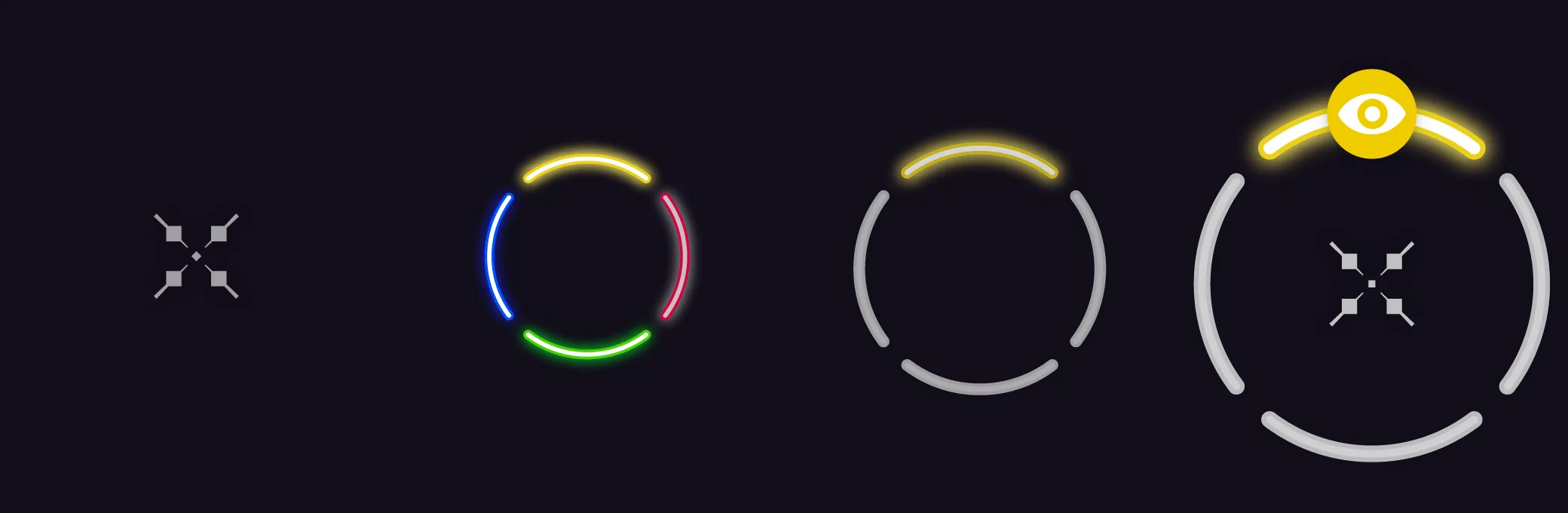
When the reticle lands on a ring, the ring grows and brightens, and color-coded icons show what you can do. Untargeted rings stay faint, so a room can show several leads without drowning the scene.
Action buttons
Quick-time prompts that belong in the scene
Quick-time events ask for split-second decisions that change the story. The first game’s prompts were simple, color-coded buttons with a timer ring. They worked, but they didn’t add anything to the atmosphere, and the timer pulled you out of the action: it was hard not to watch the ring drain instead of the fight.
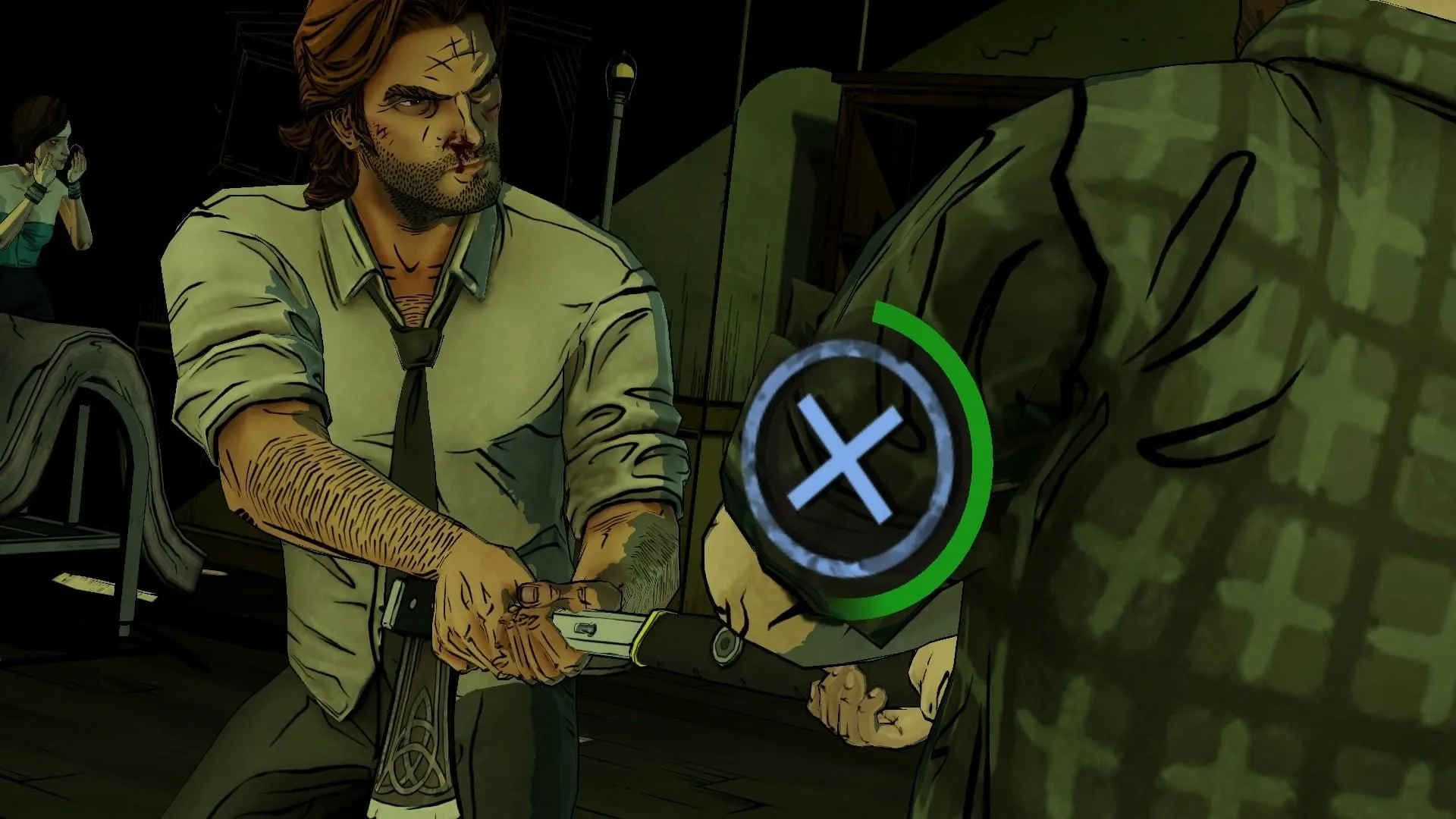
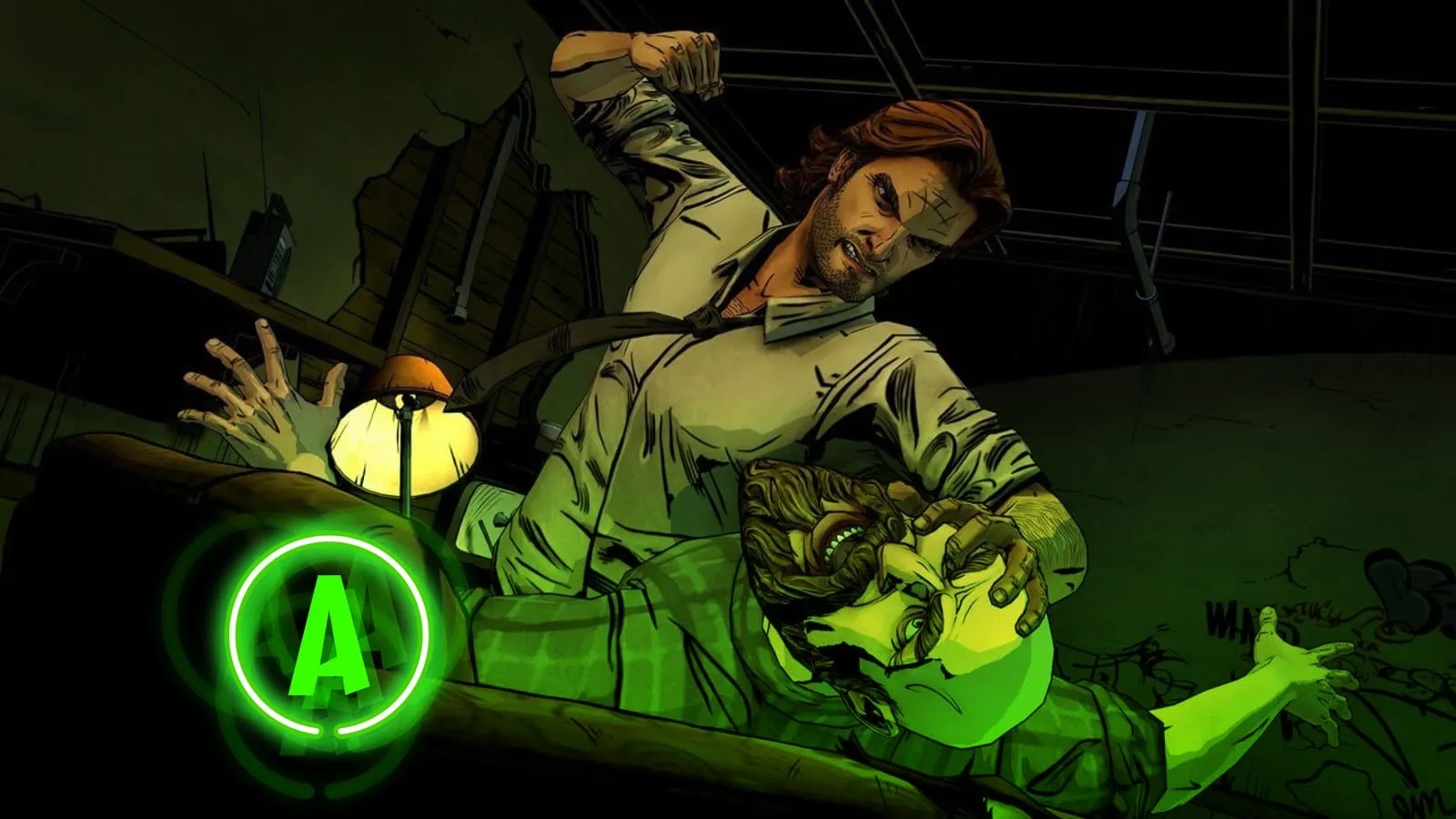
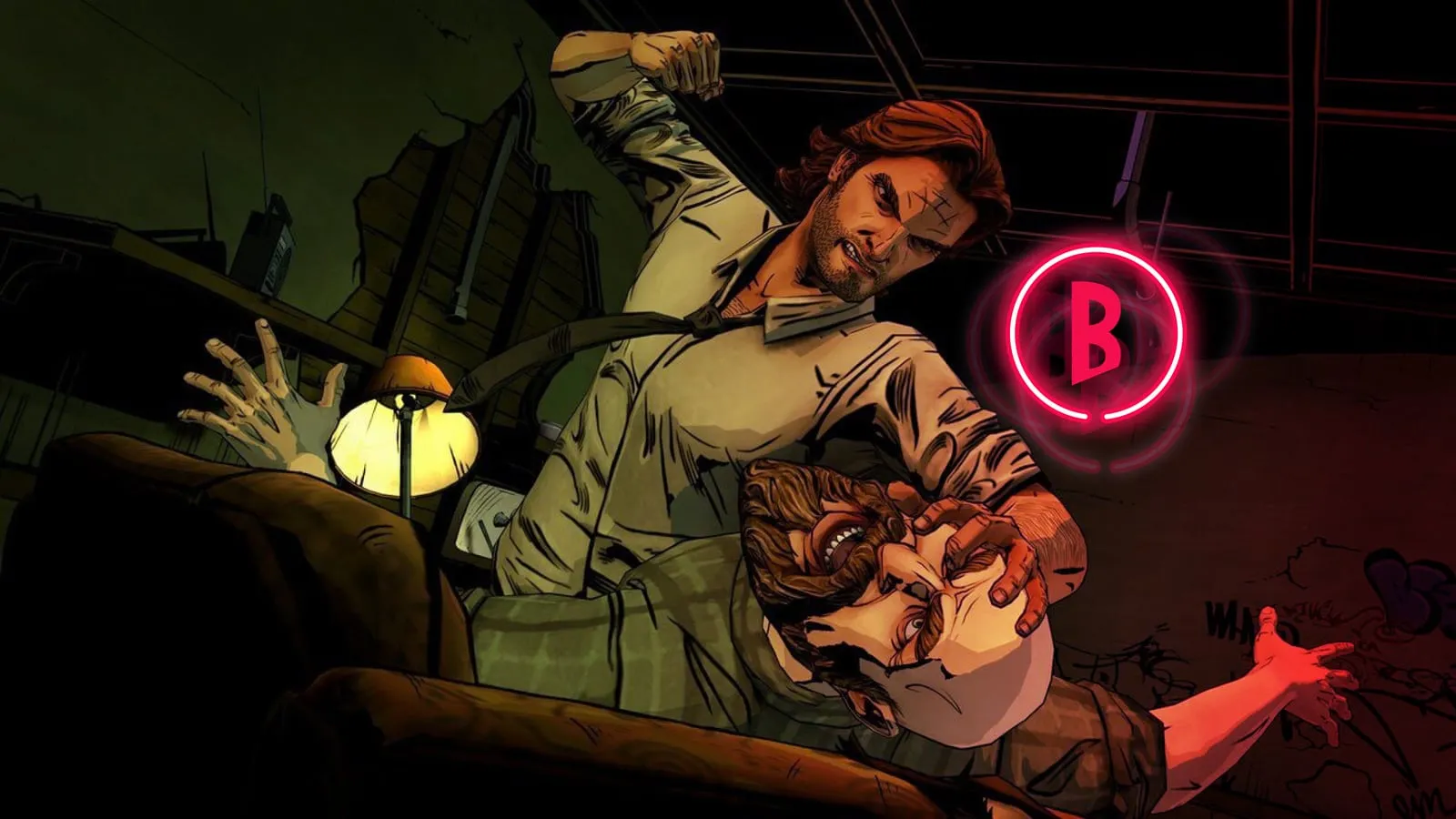
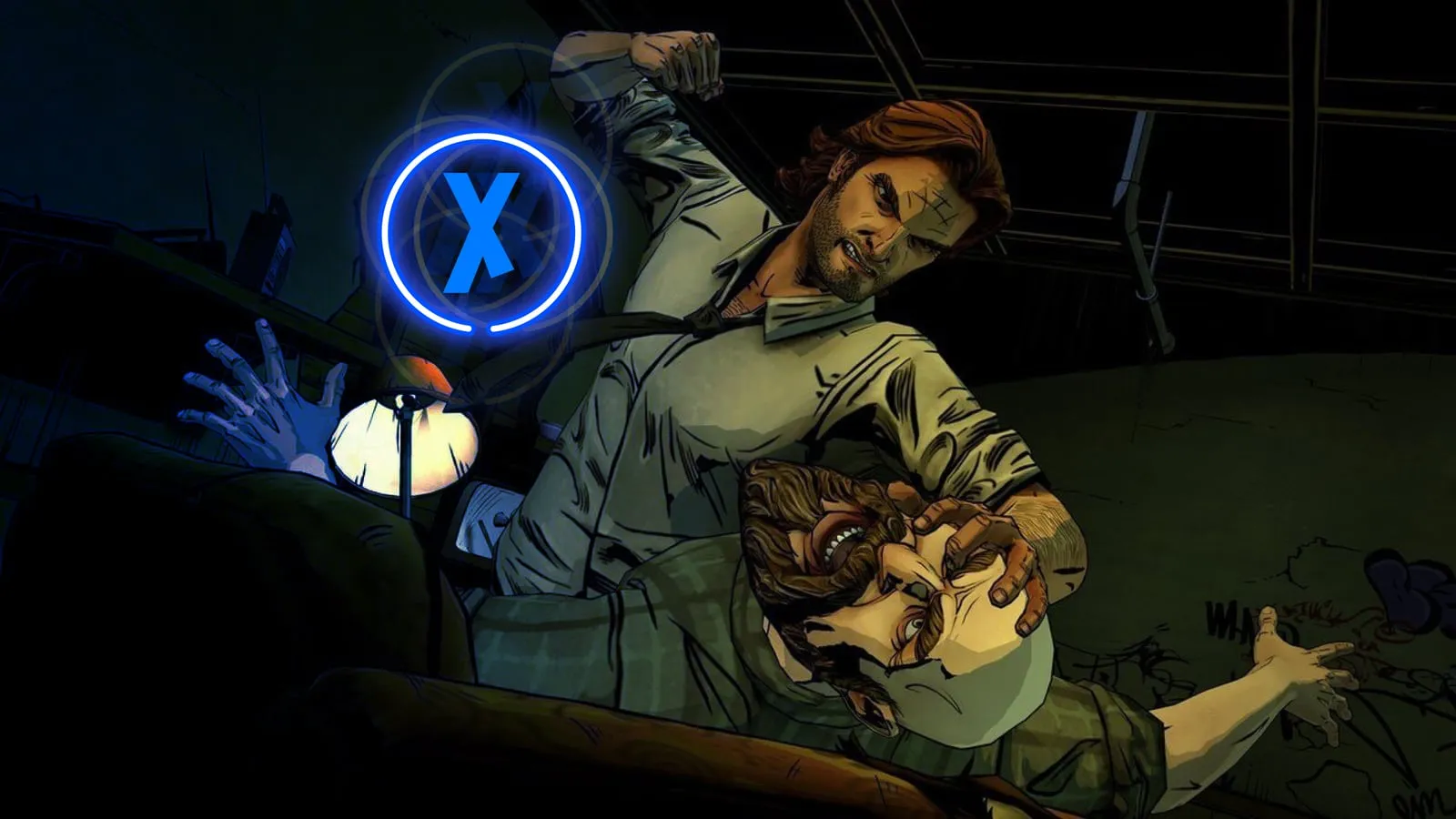
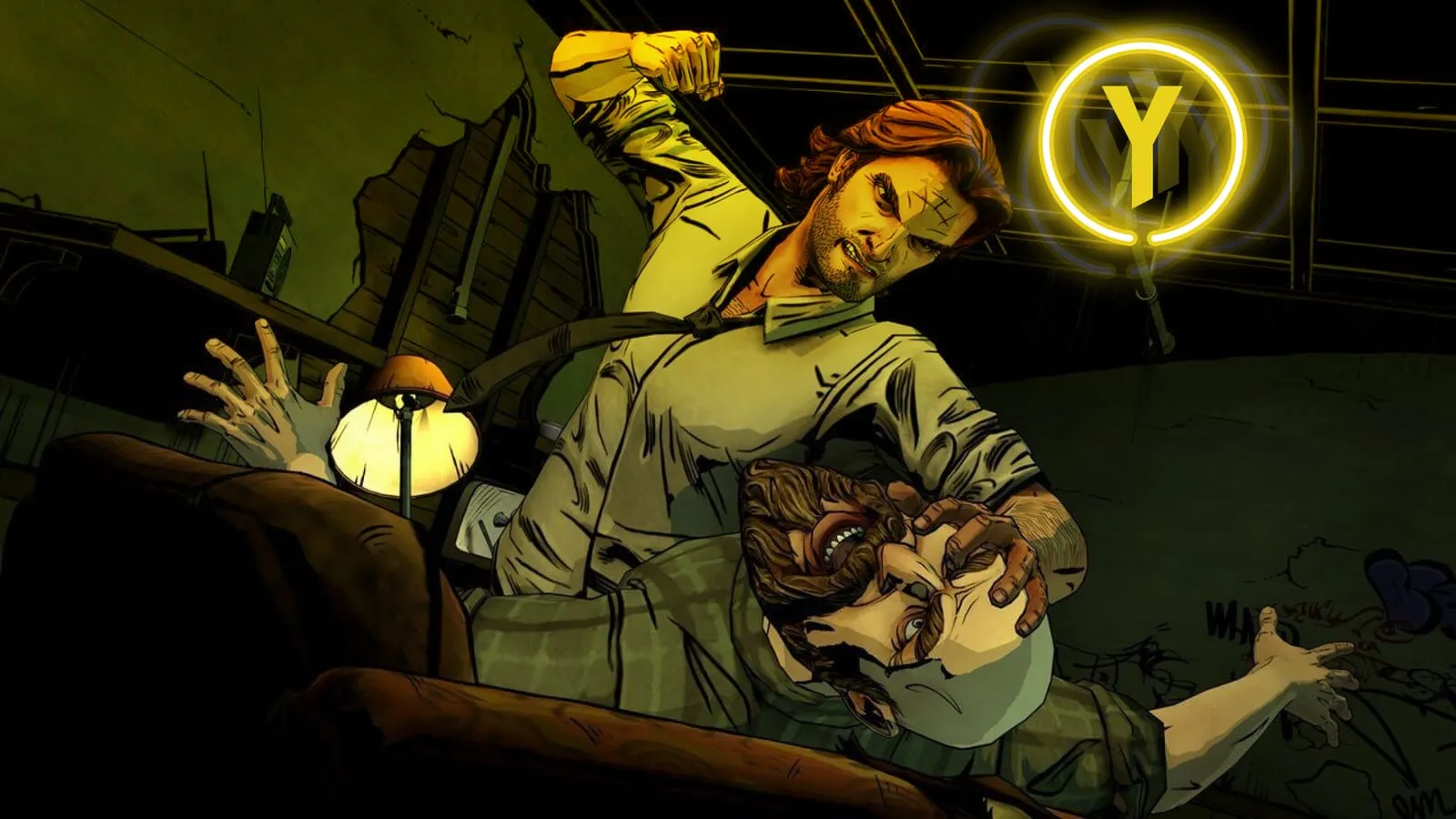
My buttons use the custom lettering from the Fables comics, drawn as neon signs and color-coded to the controller. Neon is easy to spot, which helps when you have a split second. To pull your eye to the prompt, it jitters and leaves afterimage copies of itself, which also says something about the panic of the moment.
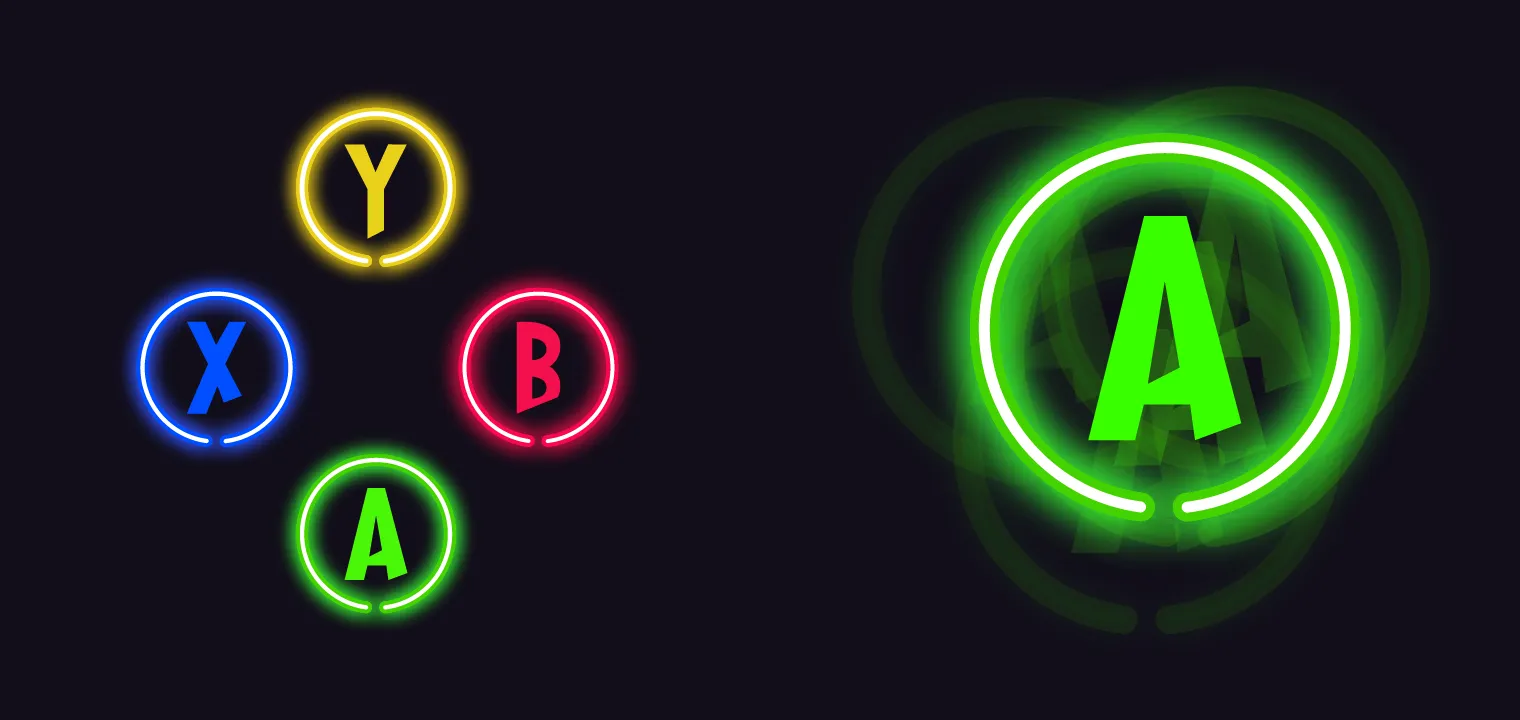
Where possible, each prompt sits where its button sits on the controller: Y high, A low, X left, B right. A color wash over the scene repeats the cue, so you can tell which button to press from the corner of your eye. The prompt complements the action instead of competing with it.
Pause menu
Pausing behind the blinds
Pause menus are easy to overlook, but players see them all the time. The first game’s menu was functional and plain. Next to the rest of the game’s style, it felt like an afterthought.
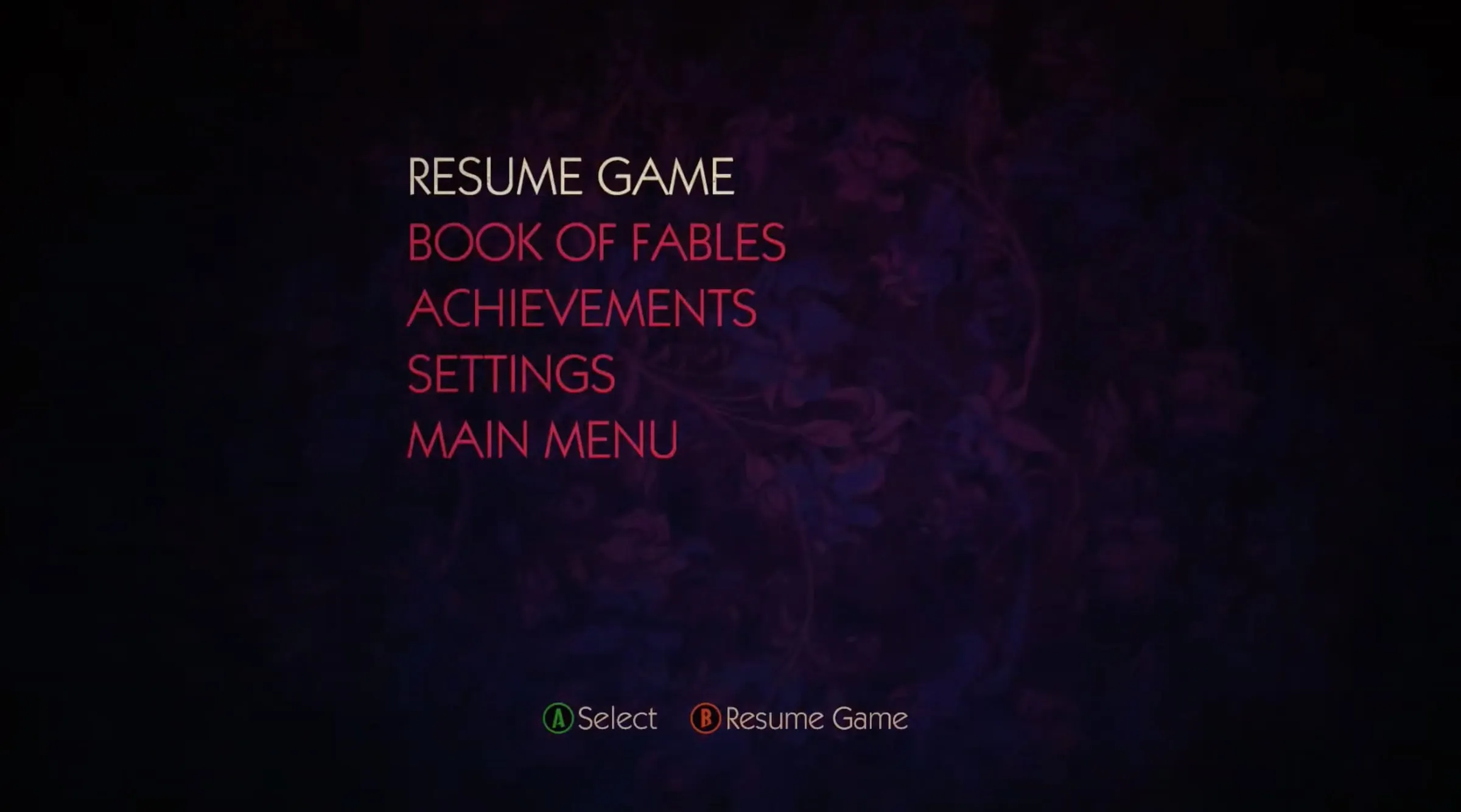
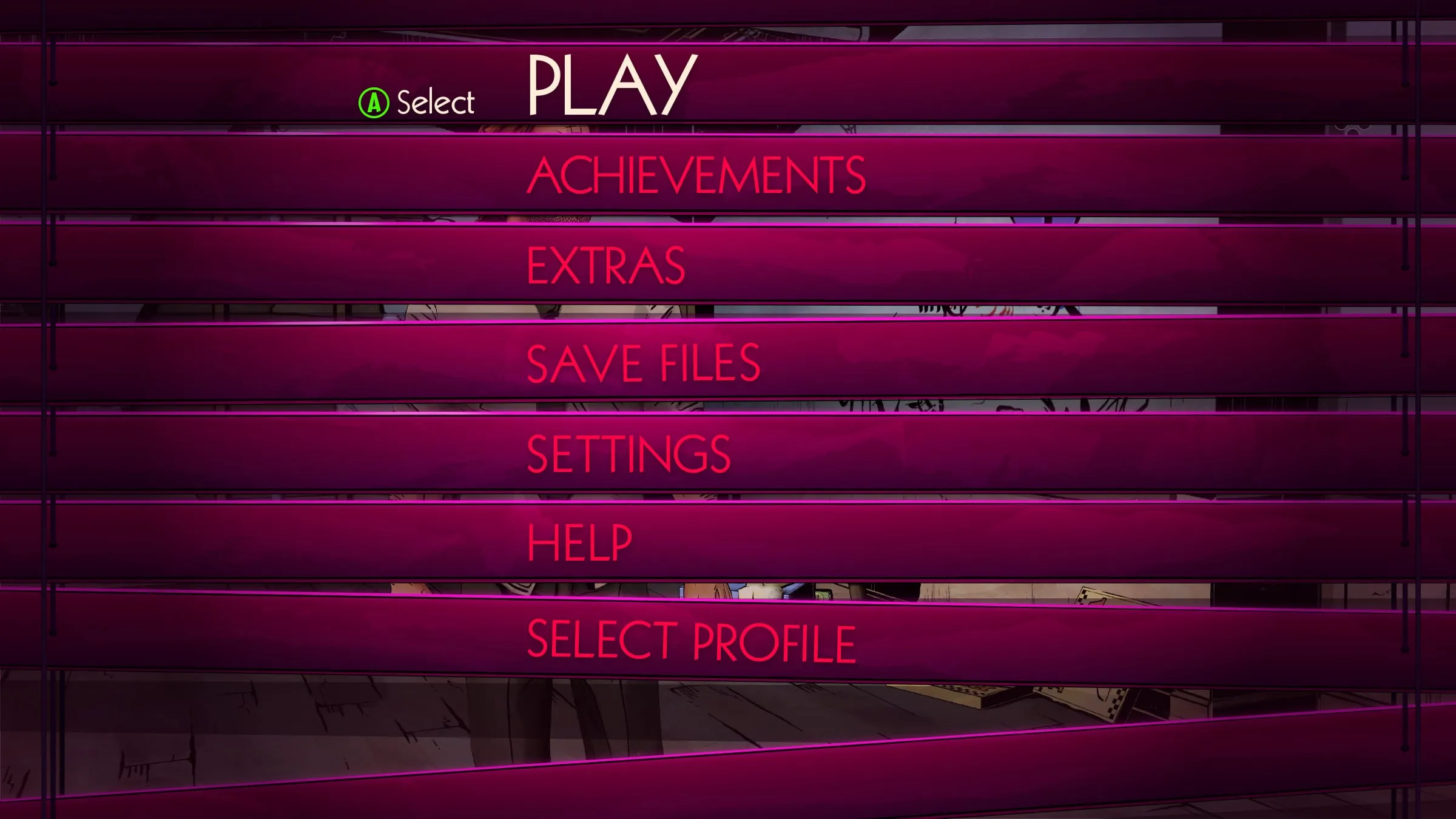
Blinds are a staple of noir, so my pause menu closes a set of Venetian blinds over whatever scene you paused on. You stay in the moment instead of jumping to a separate screen, and the blinds give the menu natural transitions as you move between its levels.
What happened
Shelved, and still a favorite
Telltale liked the concepts enough to offer me the UX lead role on the sequel. Later in 2018 the studio closed most of its operations, and the project was shelved with it, so none of this shipped.
It’s still one of the most fun projects I’ve worked on, in a medium I’ve loved most of my life, for a studio known for its storytelling. What I took from it: in a story-driven game, the interface is never neutral. Every element either helps the scene or competes with it.